Run 3 Unblocked — Play Free Online
More Runners & Driving games

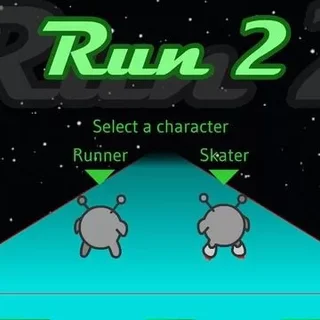




Run 3 unblocked: play Run 3 online free right here in your browser — no download, no sign-up, works on a school Chromebook.
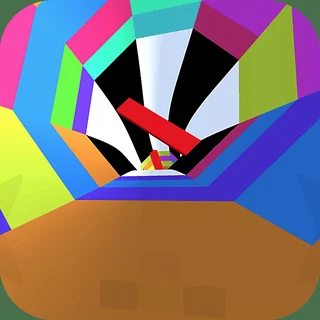
Run 3 is a fast-paced 3D platformer set inside a network of hollow tunnels floating through outer space. You take control of a nimble little alien sprinting forward along floating tiles, leaping across missing floor sections, and avoiding endless falls into the cosmic void. The game stands out because the tunnel is fully cylindrical: whenever you steer onto a side wall or ceiling, the entire corridor rolls with you, turning that surface into your new floor.
Unlike the multi-tasking kitchen challenges found across Papa's Burgeria, Run 3 delivers pure reflex-driven platforming. A single round begins the second you tap the keyboard and demands quick spatial awareness. It offers an engaging change of pace between restaurant shifts, giving you immediate thrills whether you have two minutes for a quick run or an hour to chart new pathways across the galaxy map.
How to play
Controlling your character requires only a few inputs, but mastering their timing is crucial:
- Steering: Press the Left and Right arrow keys or the A and D keys to drift across the track. Steering all the way into a wall rotates the entire tunnel.
- Jumping: Tap the Up arrow or Spacebar to hop over small gaps. Hold the jump key down to perform higher and longer leaps across wider openings.
- Restarting: If you step into empty space and fall out of the tunnel, press Spacebar or enter to instantly reset at the beginning of that segment.
Tips for exploring the tunnels
Conquering later tunnel sectors requires more than raw reaction speed. Keeping these strategies in mind will help you survive longer:
- Rotate before the gap: Rather than risking a long leap over crumbling tiles, steer onto a solid side wall ahead of time to find an unbroken pathway.
- Control your jump height: Light taps work best for short tile breaks. Holding the button for maximum height can leave you hanging in the air too long to react to the next obstacle.
- Look far down the tunnel: Focus your eyes toward the center of the screen rather than right in front of your runner. Spotting missing sections early gives you time to plan your line.
- Experiment with unlocked characters: In Explore Mode, unlocking characters like the Skater or the Lizard provides different movement speeds and jump physics suited for specific levels.
Similar games on Papa's Burgeria
When you want to switch from high-speed space running back to culinary time management, try headline classics like Papa's Burgeria to grill patties and build towering burgers, or visit Papa's Pizzeria and Papa's Taco Mia! to take orders, balance ticket timers, and master hands-on kitchen stations.
Run 3 runs smoothly inside your web browser using modern HTML5 standards. It requires no downloads or account creation, so you can jump straight into the tunnels from any computer, tablet, or Chromebook.
Questions about Run 3
Is Run 3 unblocked at school?
Run 3 runs in an ordinary browser tab from papasburgeria.org, with nothing to download or install, so it plays on most school Chromebooks and work computers. If a network filter blocks the site, only that network's administrator can change it.
What are the controls for Run 3?
Use the Left and Right arrow keys or A and D to steer across tunnel surfaces. Press the Up arrow or Spacebar to jump over holes, holding the key slightly longer for higher leaps.
How does gravity rotation work in Run 3?
When you steer onto an adjacent wall or ceiling, the camera rotates and gravity reorients instantly, making that wall your new floor so you can dodge incoming gaps.
What is the difference between Explore Mode and Infinite Mode?
Explore Mode takes you along a branching galaxy map with hand-crafted stages and unlockable characters, whereas Infinite Mode tests how far you can survive in an endless tunnel.
Can I play Run 3 on a Chromebook or mobile device?
Yes. Run 3 runs directly in modern desktop and mobile browsers through HTML5, requiring no installation, downloads, or plug-ins to start playing.