Papa Louie 2: When Burgers Attack! Unblocked — Play Free Online
More Papa Louie Adventures games



Papa Louie 2: When Burgers Attack! unblocked: play Papa Louie 2: When Burgers Attack! online free right here in your browser — no download, no sign-up, works on a school Chromebook.
Papa Louie 2: When Burgers Attack! shifts the classic restaurant series into a vibrant sidescrolling platformer. On Free Burger Day at Papa's Burgeria, a mysterious portal pulls Papa Louie and a crowd of loyal diners into the surreal world of Munchmore. Instead of flipping patties on the grill, chefs Marty and Rita must grab their kitchen utensils, dive into the portal, and rescue their kidnapped customers from an army of mutant fast food.
The game combines platform navigation, melee combat, and exploration across varied levels filled with hostile onions, bouncing tomatoes, and rampaging burger monsters. It provides a fun change of pace for anyone visiting Papa's Burgeria who wants action-driven adventure alongside the beloved characters of the franchise.
How to play
Use the Arrow keys or WASD to navigate Marty or Rita through each stage. Press Left and Right to move, Up or W to jump, and Down or S to duck under flying projectiles. Press the Spacebar to swing your spatula at incoming enemies. Holding the jump key extends your airtime, and pressing down while airborne executes a downward strike to squash enemies from above.
Your primary goal in every stage is reaching the exit cage and defeating the guard to liberate a trapped customer. Along the path, collect gold coins, defeat roaming food minions, and hunt for hidden Warp Keys tucked behind tricky platforming obstacles.
Rescuing customers and character abilities
Every customer you free from a cage becomes a playable character for future stages. Each customer arrives with their own distinctive weapon and specialized movement ability, such as double jumps, high leaps, or floating glides. Rescuing characters like Prudence or Cooper gives you access to mobility options that the starting chefs lack.
Because earlier stages contain high ledges and blocked paths that require specific skills, returning to cleared levels with newly recruited diners is essential for finding all Warp Keys and unlocking later areas of the map.
Tips for exploring Munchmore
- Collect coins for health upgrades: Visit Sarge Fan's shop between levels to spend collected coins on permanent health hearts and extra combat skills.
- Replay levels with new recruits: If a Warp Key seems out of reach, note its location and return once you have unlocked a character with gliding or double-jump abilities.
- Use stun mechanics on tough monsters: Jumping on top of burger patties and large enemies briefly stuns them, leaving them open for a quick follow-up strike.
Similar games on Papa's Burgeria
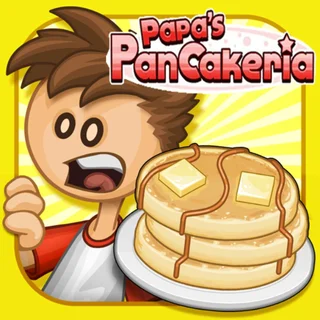
If you want to return to the kitchen counter after beating the burger invasion, Papa's Burgeria and Papa's Pancakeria offer the signature order-taking, grilling, and stacking gameplay. For players looking for different cooking stations and timing challenges, Papa's Wingeria and Papa's Cupcakeria test your precision under busy lunch rushes.
Papa Louie 2: When Burgers Attack! runs directly in your web browser with multiple local save slots, allowing you to track your progress and customer rescues across different play sessions.
Questions about Papa Louie 2: When Burgers Attack!
Is Papa Louie 2: When Burgers Attack! unblocked at school?
Papa Louie 2: When Burgers Attack! runs in an ordinary browser tab from papasburgeria.org, with nothing to download or install, so it plays on most school Chromebooks and work computers. If a network filter blocks the site, only that network's administrator can change it.
How do you unlock new playable characters in Papa Louie 2?
You unlock new playable characters by locating and freeing trapped customers from cages at the end of each platforming level.
How do you save your progress in Papa Louie 2: When Burgers Attack!?
The game offers multiple save slots that store your completed stages, coins, and rescued customers directly in your local browser storage.
What are Warp Keys used for in the game?
Warp Keys are hidden collectibles found throughout each stage that are required to unlock access to later worlds and the final boss castle.
What are the controls for Papa Louie 2 on keyboard?
Use WASD or the Arrow keys to move and jump, Down or S to duck, and the Spacebar to attack enemies with your weapon.